
PlantFlow 3D › Simulators › Motor Control Simulator
Motor Control Simulator: DOL, star-delta, reversing, VFD
Practise motor control circuits online for free: DOL, star-delta, forward-reverse, two-speed, VFD, soft starter, pump control and single-phase motors in 2D and 3D.
▶ Open this simulator ⬇ Download the app
What it is
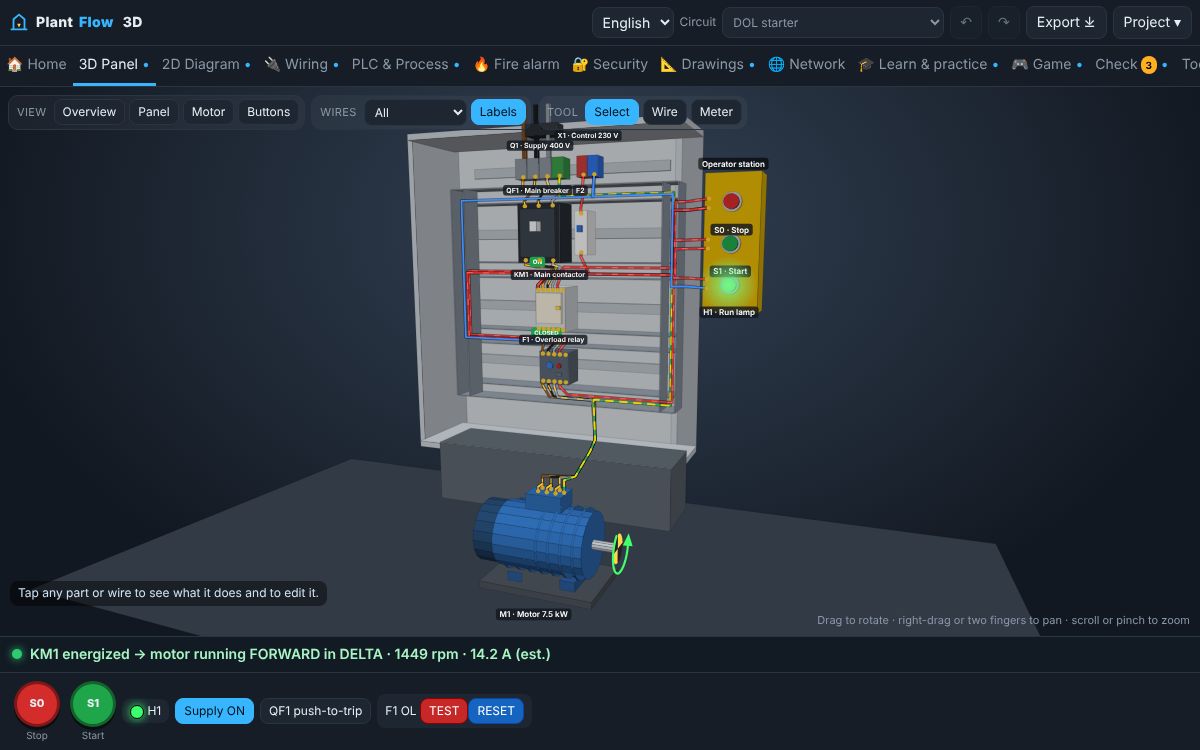
PlantFlow 3D contains ready-made motor and distribution circuits that share one simulation engine. Every circuit can be operated from the operator station, inspected in a 2D schematic, a realistic wiring view and a 3D panel, and checked automatically for wiring mistakes.
What you can do
- Forward-reverse starter with electrical interlocks.
- Variable frequency drive with speed reference and ramps; soft starter with ramp-up.
- Pump control with level switches, two-speed Dahlander motors and single-phase motors with capacitor.
- Generator and automatic transfer switch, distribution boards with MCBs and RCDs, power-factor correction, and an MCC fed by a transformer.
- Automatic wiring checker with explanations for each rule.
How to use it
- Choose a circuit from the Circuit menu at the top of the simulator.
- Operate it with the buttons at the bottom.
- Switch between 3D, 2D and Wiring views: they all show the same project.
- Open Check to see the automatic wiring review.
Learn the theory
- Forward–reverse motor control and interlocks
- Variable frequency drives (VFD) explained
- Soft starters: gentle starting for big motors
- Single-phase capacitor motors
Questions
Which circuits are included?
DOL, star-delta, forward-reverse, two-speed, VFD, soft starter, pump control, single-phase motor, ATS with generator, distribution board, lighting control, power-factor correction and an MCC with transformer.
Are 2D and 3D connected?
Yes. They are views of the same project, so a wire added or removed in one view appears in the others.
Safety: this guide explains principles for learning. Real installations must follow the applicable codes, the equipment manufacturer's instructions and the approval of a competent, qualified person. Isolate, lock off and prove dead before touching any circuit.